The Friday rush is in full swing, and a server leans in with the sentence every operator hates: “We’re out of the salmon.” The printed menus on the floor still feature it, the host is still handing them out, and the table you just sat is about to order it three times.
That moment is where contactless menus stop being a “nice tech upgrade” and start being an operational tool.
Below are the contactless menu benefits for restaurants that actually show up on the floor: fewer mistakes, faster pivots, tighter brand control, and a better experience for guests who just want to order without friction.
The real contactless menu benefits for restaurants
A contactless menu is simple: guests scan a QR code and view your menu in their phone’s browser. No app. No downloads. Just a fast path from table to menu.
But the benefits are bigger than “no printing.” Done right, a contactless menu becomes a living menu system that lets you control what guests see, when they see it, and how clearly they understand it.
1) You can update the menu mid-service
Restaurants don’t run on static information. Inventory changes, prep takes longer than expected, a keg kicks, the chef adds a special, or pricing needs a fast fix. With paper, you either live with the mismatch or you scramble with verbal patches that never land consistently.
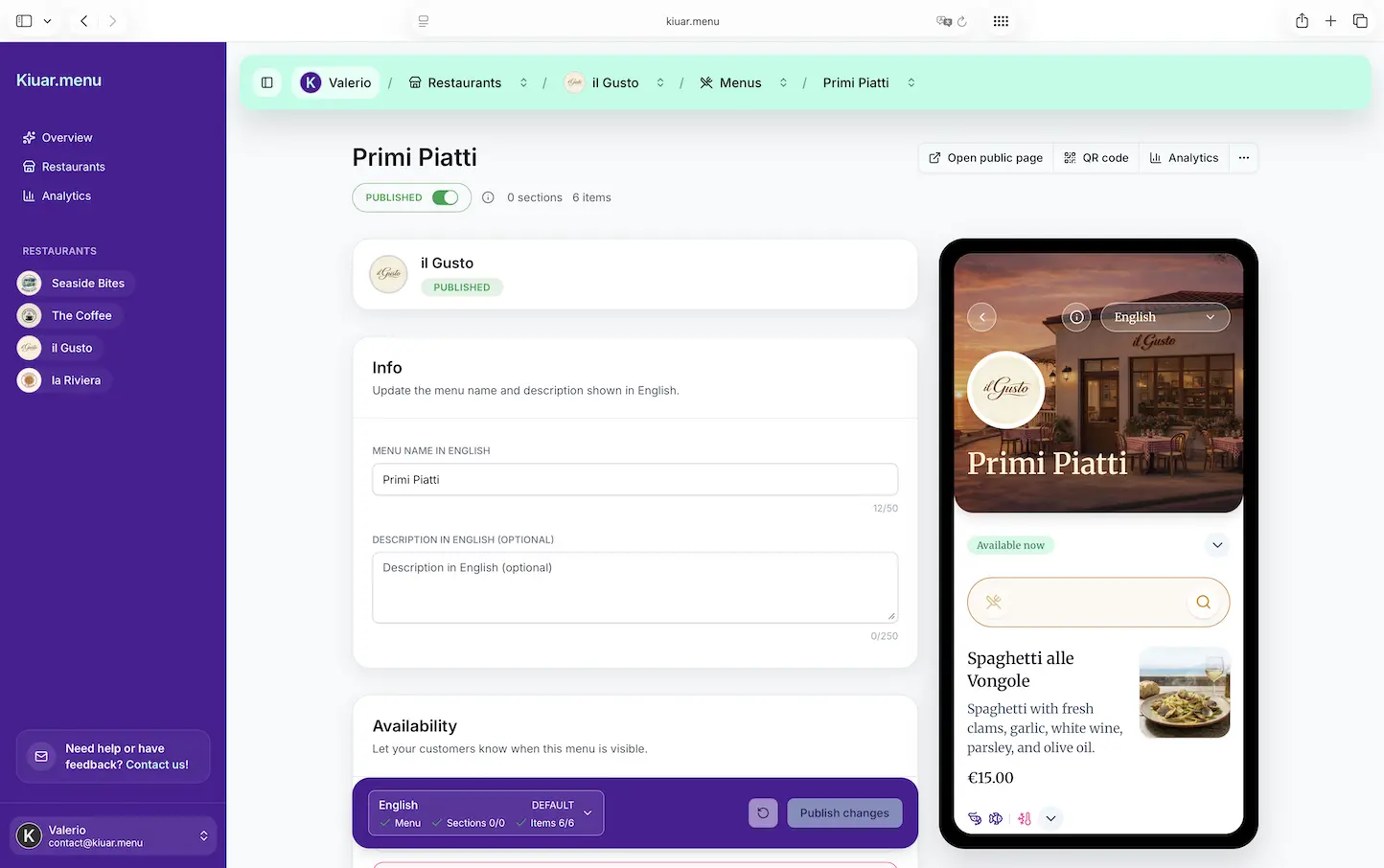
With a contactless menu, you make one edit and every table is instantly on the same page. That’s not a marketing perk - that’s service control.
This shows up in real ways: fewer 86’d-item conversations, less comping because a guest ordered something you can’t deliver, fewer “but the menu says…” moments, and more confidence from staff because they’re not improvising the truth table by table.
Trade-off: you need a process. If anyone can edit the menu at any time, you can create confusion internally. The win comes from a clear owner or manager workflow: who updates, when, and how changes are communicated to the team.
2) You stop paying the “reprint tax”
Most operators don’t think of printing as a subscription, but it is. Every menu change has a cost: design tweaks, reprints, lamination, delivery time, and the labor of swapping menus. Even if you print in-house, you’re still paying in staff attention.
A contactless menu cuts that reprint tax dramatically. You can adjust pricing without waiting for the next print run. You can run a seasonal insert without rebuilding the entire menu. You can keep one “evergreen” QR code on the table while the content behind it evolves.
It’s not that paper goes away entirely. Some concepts still want a small printed version for accessibility, branding, or speed. The point is you’re no longer forced into printing just because something changed.
3) You reduce ordering friction for guests
Guests don’t visit your restaurant to admire your operational systems. They want clarity, confidence, and momentum. A good contactless menu helps them get there faster.
The best digital menus load quickly, read cleanly, and make it easy to find what matters: categories, prices, modifiers, and the details that prevent back-and-forth with staff. When the menu is well organized, guests spend less time hunting and more time deciding.
The result is subtle but real: fewer stalled tables, less server interruption, and smoother pacing across the room.
It depends on execution. If the menu is a PDF pinch-and-zoom nightmare, guests will bounce. If the QR code is tiny, poorly placed, or printed with low contrast, guests will ask for help. Contactless wins when you treat it like a guest experience, not a file-sharing project.
4) You make allergens and dietary needs clearer
Allergen and dietary questions are common, and they’re high stakes. Guests need quick answers, and staff needs a consistent way to communicate them. Contactless menus can display allergen tags, dietary labels, and ingredient notes in a way that’s hard to keep current on paper.
When labels are built into the menu itself, you’re not relying on a single employee’s memory during a slammed shift. You’re standardizing the message across every table.
One nuance: a label isn’t a guarantee. You still need kitchen practices and staff training. But clear labeling reduces the number of surprises and helps guests feel like you’re paying attention.
5) You serve more guests with built-in translation
If you operate in a tourist area, a major city, near a campus, or basically anywhere with international guests, language support is a direct revenue issue. When guests can’t confidently read the menu, they either order the safest thing or they order less.
A contactless menu that supports multiple languages lets guests choose what they’re comfortable with, without forcing your staff to play translator or your concept to carry multiple printed versions.
This also helps beyond tourism. Many markets have multilingual local communities. Offering Spanish or other common languages is a practical move that says “we want you to feel at home here.”
The trade-off is accuracy. Auto-translation can be helpful, but you should sanity-check key items, especially anything with allergens, cooking temps, or regional slang. The goal is clarity, not cleverness.
6) Your branding stays consistent, even across locations
Paper menus drift. Different print batches look slightly different. Different managers make different edits. One location updates pricing and another doesn’t. Over time, the menu stops looking like a brand asset and starts looking like a patchwork.
A contactless menu gives you central control: colors, typography, layout, item naming, and structure can stay consistent across your concept. For multi-location operators, this is huge. You can run a brand-wide special, adjust one price, or update descriptions without chasing down ten different menu files.
Consistency isn’t just aesthetic. It affects trust. A clean, readable menu signals that the operation is organized. That perception carries into how guests interpret wait times, pricing, and service.
7) You get menu analytics you can actually use
This is where contactless menus separate the “digital copy of paper” from a system that helps you sell.
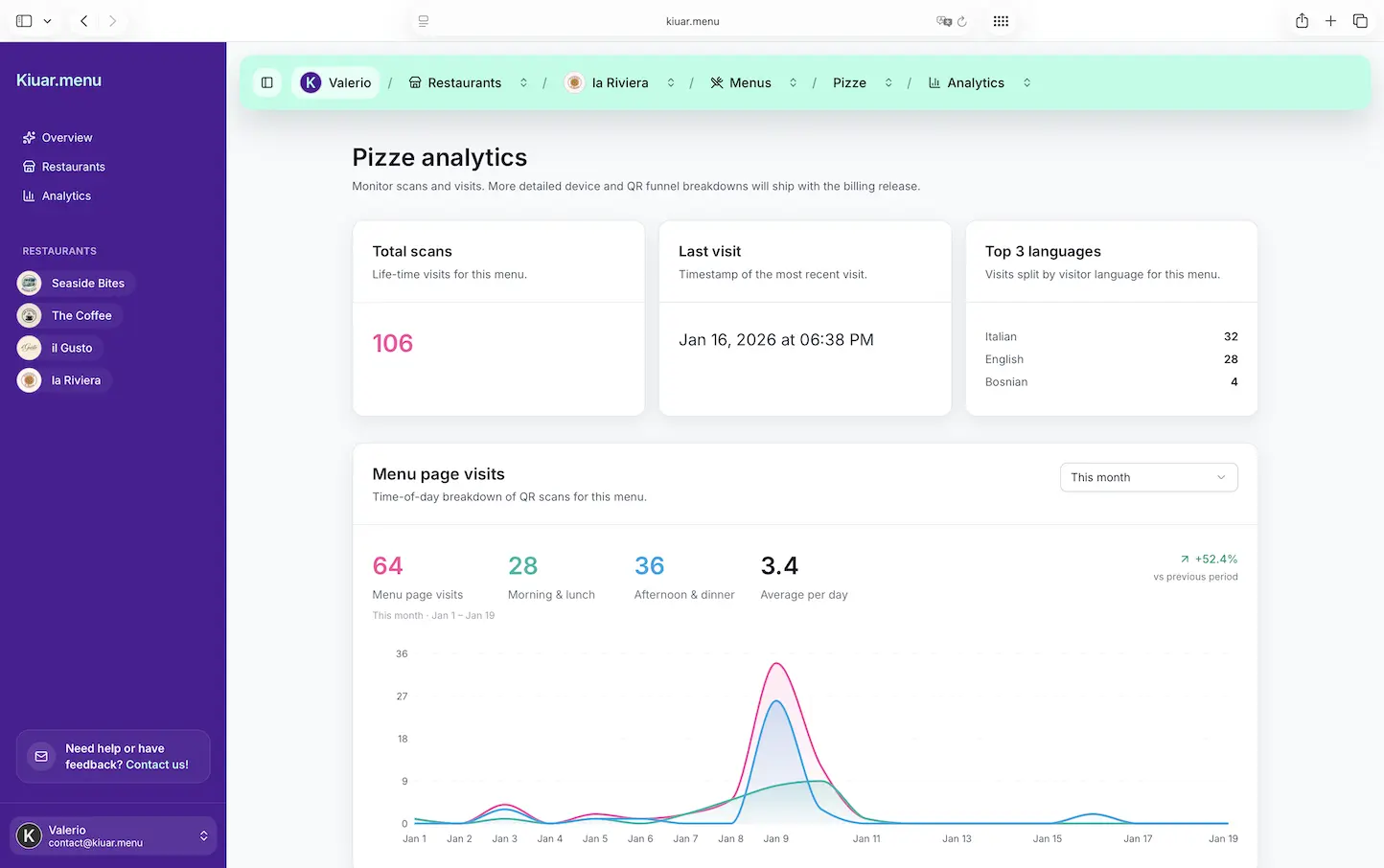
With analytics, you can see what guests view, what they click, and what they ignore. That gives you data you can act on without guessing. If a high-margin appetizer is buried and never viewed, that’s not a kitchen problem - it’s a menu presentation problem. If a cocktail category gets heavy traffic, you can feature it more aggressively or train servers to pair it with specific items.
Analytics won’t replace POS reporting, and it shouldn’t. POS tells you what sold. Menu analytics tells you what was considered. Together, they help you refine category order, naming, descriptions, and photo strategy (if you use photos).
Nuance: don’t chase clicks at the expense of hospitality. The goal is not to trick guests into ordering. The goal is to make the menu clearer, more confident, and easier to navigate - and let the best items shine.
What to watch out for before you go contactless
Contactless menus are simple, but they’re not magic. A few realities matter.
First, you still need a fallback. Some guests have older phones, low battery, or just don’t want to scan. Keeping a small set of clean printed menus available is a practical move that prevents friction.
Second, Wi‑Fi and connectivity matter. If your building has dead zones, guests will blame the menu, not the signal. You don’t need to over-engineer it, but you should test the guest journey from multiple tables.
Third, ownership matters. A contactless menu should have one source of truth. If you’re editing the same menu in three places (a PDF, a website, and a QR tool), you’ll create inconsistencies. The win is editing once and publishing everywhere.
How operators get the most value out of a contactless menu
The highest-performing setups treat the menu like an operating system, not a one-time project.
Start by building a menu structure that matches how guests think. Group items the way people order, not the way your kitchen stations are organized. Write descriptions that answer the questions guests ask most: spice level, portion size, key ingredients, and any “surprise” elements.
Then set a rhythm for updates. If prices fluctuate, make pricing edits part of a weekly checklist. If specials change daily, make it someone’s job to update them before doors open. If you regularly 86 items, create a simple process so the manager can flip availability in seconds.
Finally, keep the QR experience clean. Use a code that scans easily, place it where guests naturally look, and make sure the landing experience is fast and readable. If a guest can scan and start browsing in under ten seconds, you’ve removed a lot of friction from the table.
If you want an all-in-one workspace for building, branding, translating, and publishing QR menus with instant updates, a tool like Kiuar.menu is built for exactly that kind of operator control without dragging you into a complex setup.
A contactless menu should feel like a small change that creates daily relief. When you can edit once, keep every table current, and present your menu clearly to every guest who walks in, you’re not just modernizing - you’re buying back time and reducing the number of avoidable problems that steal it.