Friday at 8:17 pm: the keg you thought would last the night kicks, a server gets three “are you out of that IPA?” questions in a row, and someone at table 12 is still staring at last month’s paper cocktail list. A bar menu is a living thing. If your menu can’t change as fast as your inventory, you end up comping drinks, disappointing guests, or burning time explaining what’s actually available.
A qr menu for bar is less about being trendy and more about controlling the moment: accurate items, cleaner upsells, faster decisions, and fewer bottlenecks between the guest and the pour. But it only works if it’s built for bar realities - quick scanning, tight layout, clear modifiers, and the ability to change things mid-service without turning the floor into a phone tree.
What a QR menu changes in a bar (and what it doesn’t)
A digital menu won’t fix slow ticket times or a messy backbar. What it does fix is the information layer: what’s available, what it costs today, and what you want the guest to notice.
In a bar, that matters more than in many restaurants because your highest-margin items are also the most dynamic. Draft lists rotate, seasonal cocktails come and go, and pricing is often a moving target depending on supplier costs. With QR access, you can update once and every table sees it immediately.
It also changes how guests browse. People don’t read a bar menu like a contract. They skim. They compare. They look for one or two anchors they recognize, then they take a chance. A QR menu can help that behavior by putting the best sellers and the most photogenic items where eyes land first, without needing a full redesign every week.
What it doesn’t do: it won’t replace good menu engineering, and it won’t eliminate the need for staff guidance. Some guests still want a recommendation, and plenty of bars win on hospitality - not self-service. The right move is making the QR menu a support tool that reduces friction, not a wall between your team and the guest.
The bar-specific problems a qr menu for bar solves
Paper menus fail in predictable ways in bars: they get sticky, they disappear, and they go out of date at the worst possible time. QR menus fail in different ways: poor signal, clunky design, or guests who don’t want to scan. The goal is to solve the big operational problems without creating new ones.
First is mid-service accuracy. If you 86 something, the QR menu can reflect it immediately, which prevents the “sorry, we’re out” loop that wastes staff time and irritates guests. Second is speed. Guests can scan while they’re settling in, which means your first touch can be a recommendation instead of a menu handoff.
Third is consistency across spaces. If you run a bar with a patio, a private room, or a second service counter, you don’t want three different menu versions floating around. One source of truth keeps pricing and descriptions consistent.
And fourth is up-selling without the awkwardness. A well-placed add-on (make it a double, add a sidecar, upgrade the spirit, add a beer back) becomes a quiet nudge that guests can choose on their own.
What to include in a QR bar menu that guests actually use
A QR menu that’s “complete” can still be hard to use. Bars need scan-to-decision speed, especially for first rounds. Think in sections that match how people order.
Start with a tight “Tonight’s Favorites” or “Top Cocktails” section. It helps new guests land quickly and it gives you control over what’s featured. Then separate cocktails by style, not just by creativity: shaken citrus, spirit-forward, highballs, zero-proof. Guests order with a mental shortcut, and style labels match that.
For beer, don’t bury the lead. Most guests want brand, style, ABV, and price. If you’re rotating taps, date-stamping or tagging “new” does more than a long paragraph. Wine should be equally scannable: glass, bottle, varietal, region, and a short descriptor.
Food (if you serve it) should be organized around bar behavior: shareables first, then handhelds, then anything that takes longer. If your kitchen slows late-night, build a late-night section you can toggle on without rewriting the menu.
Two details that keep ordering smooth: clear modifier language and clear sizes. If a cocktail can be made zero-proof, call it out. If a draft comes in 12 oz and 16 oz, show both. Ambiguity is where time disappears.
Design rules that matter more in bars than restaurants
Lighting is the enemy. A bar menu has to work in low light, on a cracked phone screen, with one hand.
Prioritize large type, high contrast, and short descriptions. Avoid walls of text. If you love storytelling, put it behind the scenes, not in the ordering path. For cocktails, one line of flavor plus the base spirit usually beats a paragraph.
Photos are optional, but if you use them, use them strategically. A few great images can lift premium cocktails and desserts. A page full of mediocre photos makes everything feel cheaper.
Also, make the first screen count. Guests should scan and immediately see categories or top picks without scrolling forever. Long menus aren’t the issue - endless scrolling is.
Translation, allergens, and “can you make it without…”
Bars serve more diverse crowds than many operators realize: tourists, business travelers, and locals with dietary restrictions. QR menus can help you serve everyone without slowing down the shift.
If you offer multi-language menus, guests stop playing telephone with staff over ingredients. If you label allergens and dietary tags clearly, you reduce risk and reduce back-and-forth. This is especially useful for syrups, bitters, garnishes, and shared fryers, where misunderstandings happen.
The trade-off is accuracy and upkeep. If you translate or label items, you need a workflow that keeps those details in sync when a recipe changes. Otherwise you replace one kind of confusion with another.
How to roll out a QR menu in a working bar
The fastest way to lose adoption is to treat QR like a replacement instead of an option. Give guests the QR menu, but keep a backup for the people who won’t scan. That can be one clean paper copy at the host stand or a small chalkboard for core offerings.
Place QR codes where decisions happen: on the table, on the bar rail, and near waiting areas. A tiny QR in the corner of a tent card that’s covered in condensation won’t perform. Print it large enough to scan quickly and protect it from spills.
Train staff on how to introduce it in one sentence. Not a speech, just a line that keeps service moving: “Scan for the live menu - it updates if we run out of anything.” That sets expectations and subtly signals freshness.
Then use real shift data. Watch what guests tap, what they ignore, and which items get asked about anyway. Those are the sections that need clearer labels or better placement.
What to watch for: the real trade-offs
QR menus are not a free win in every situation.
Connectivity is the big one. If your bar has dead zones, you’ll need to fix the Wi-Fi or provide a guest network. Also consider the “no phone” crowd. Some guests come to a bar to disconnect, and forcing scanning can feel cold.
Another issue is decision fatigue. A QR menu can become a dumping ground because there’s “infinite space.” In bars, more choices can slow ordering. The fix is structure: featured items, tight categories, and a predictable flow.
Finally, don’t let design drift. If multiple people edit the menu without standards, you end up with inconsistent names, pricing formats, and descriptions. The menu should read like one voice, even when it changes daily.
Choosing a platform: what matters for bar operators
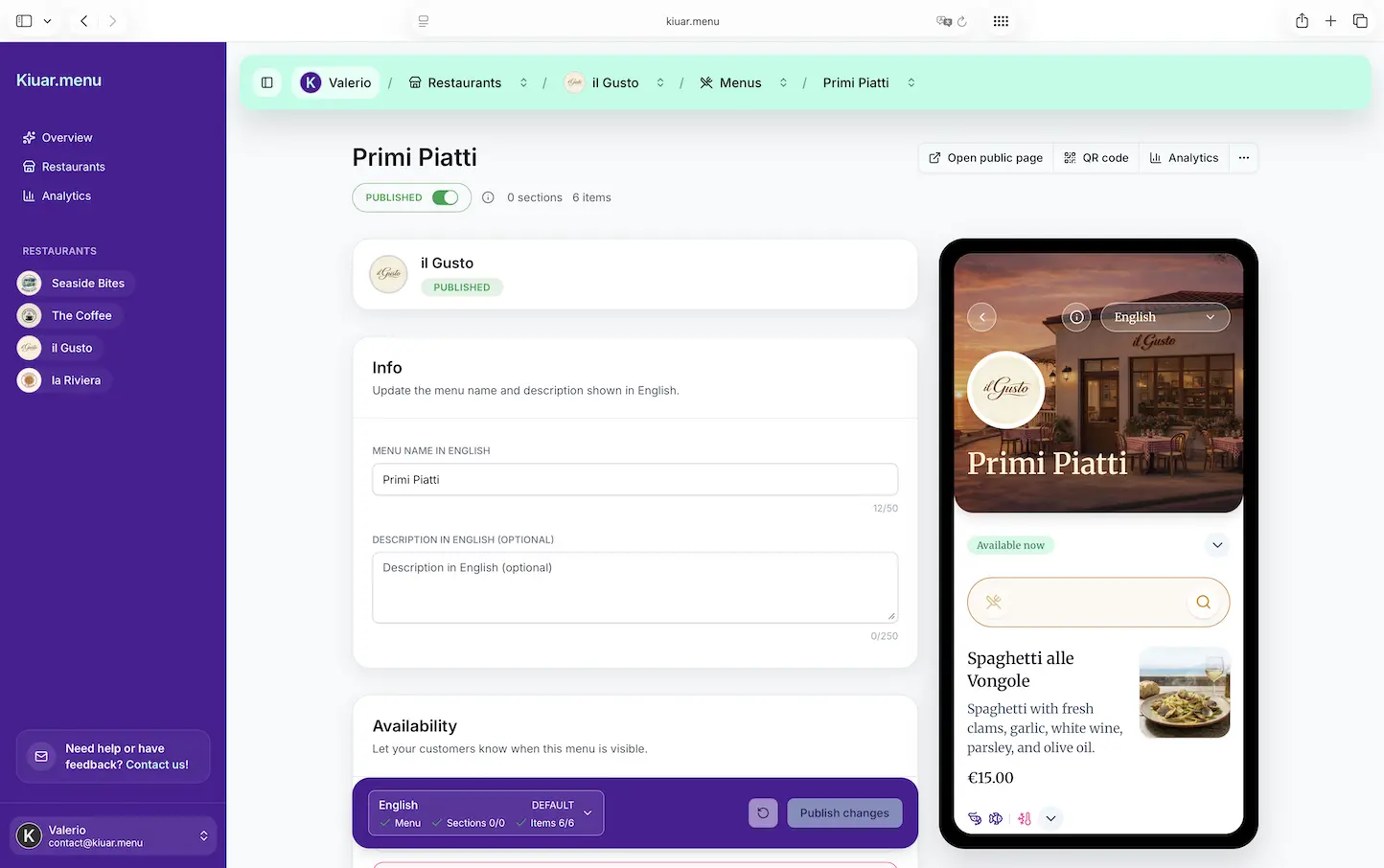
If you’re comparing tools, focus on operational control rather than flashy templates. You want to edit once and have every QR code reflect it instantly. You also want branding that matches your bar without hiring a designer, plus translations if you serve international guests.
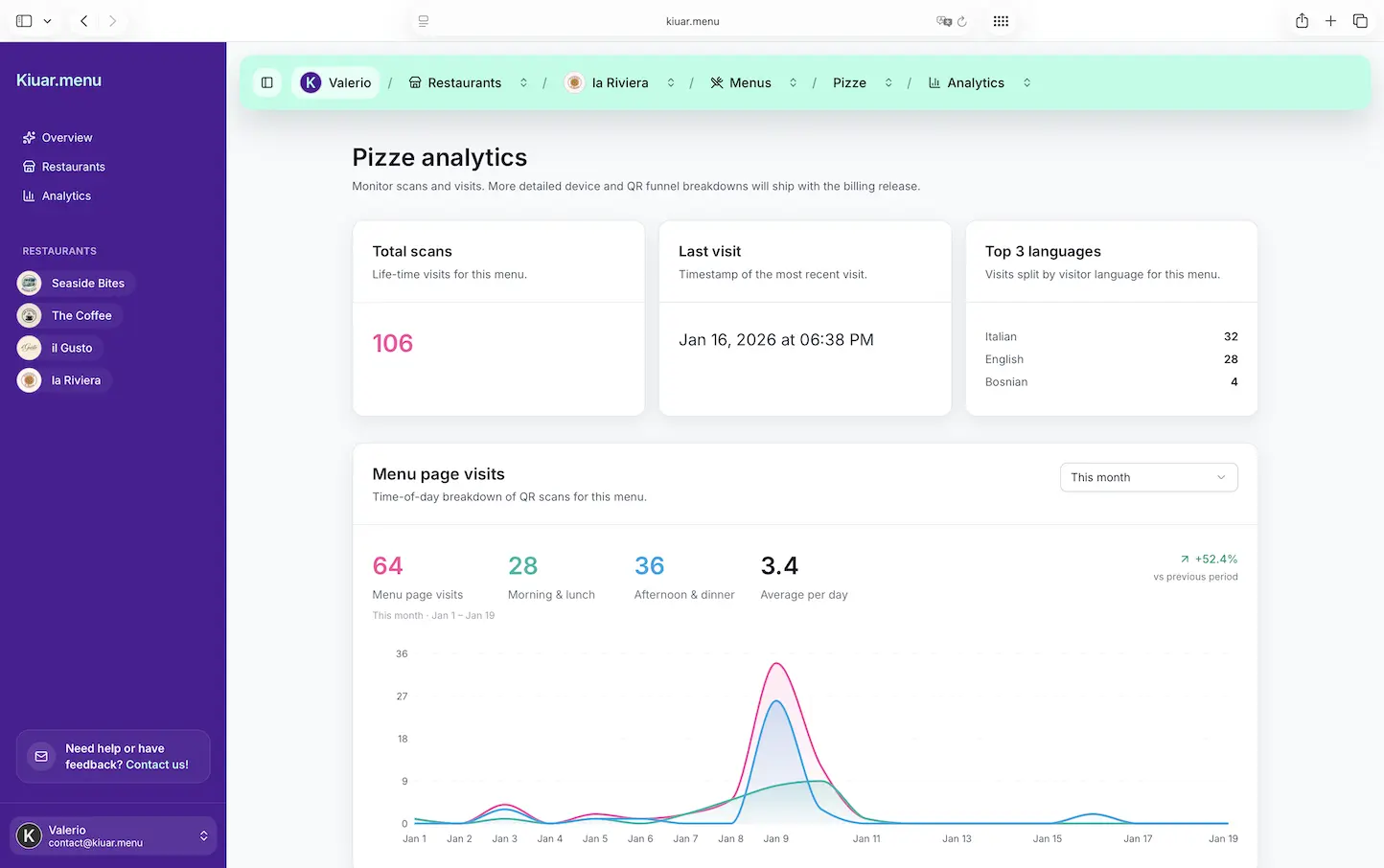
Analytics can be a quiet advantage too. Knowing what gets viewed and what gets ignored helps you stop guessing. In bars, small placement changes can move high-margin items fast.
If you want an all-in-one option built for operators, Kiuar.menu lets you create and brand menus, publish QR codes, manage translations (up to 29 languages), add allergen and dietary labels, and update items anytime - with a free-to-start, pay-when-publishing model and plans starting at $2.99/month.
Make your menu as flexible as your bar
Your bar changes by the hour: inventory shifts, crowds shift, and your best sellers shift with them. A QR menu works when it respects that reality - fast to scan, easy to edit, and designed to help guests decide quickly.
The best mindset is simple: your menu is part of service. When it stays accurate and effortless, your staff spends less time explaining and more time hosting - which is where bars actually make regulars.