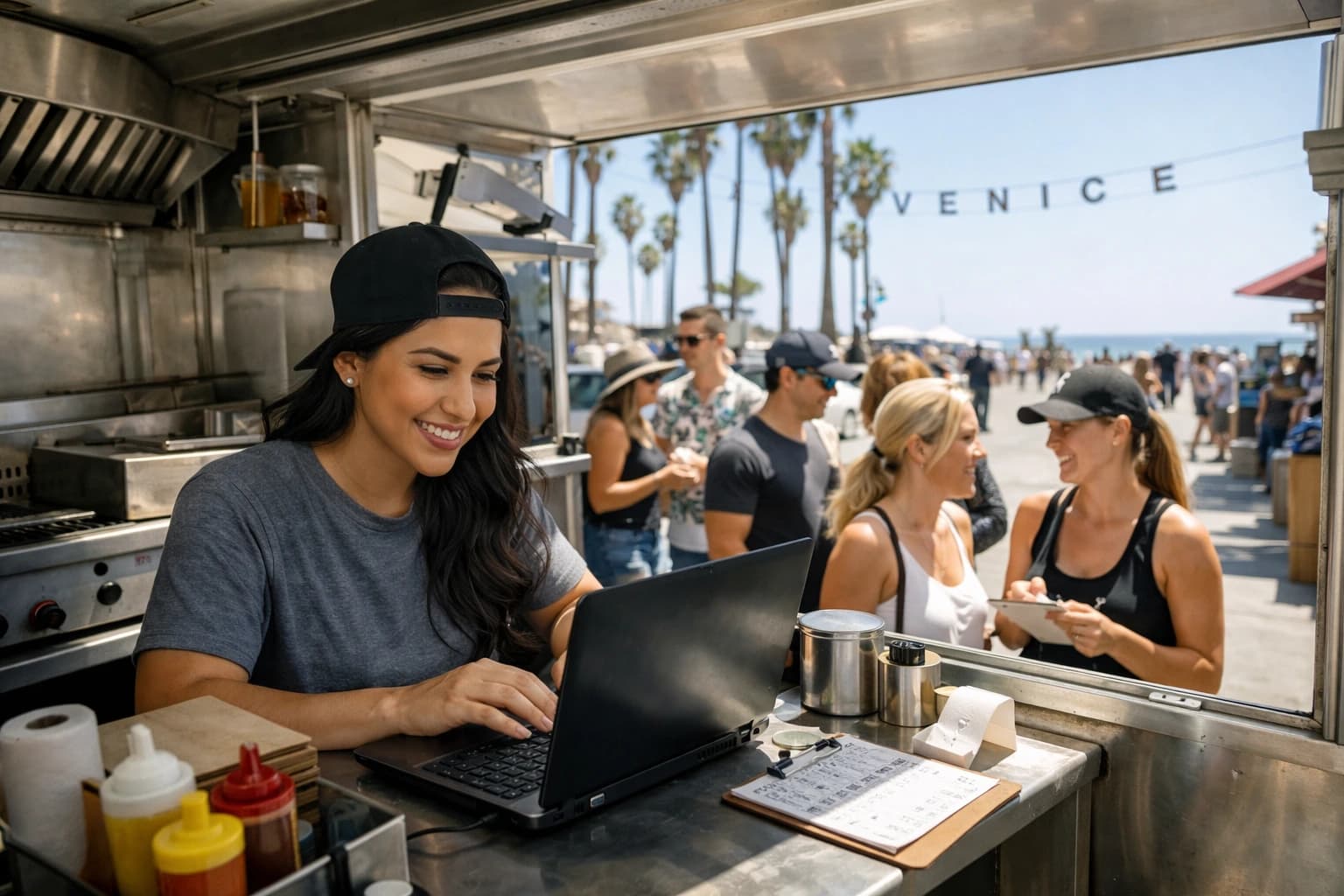
You 86 the wings at 7:18 pm. By 7:19, a new table scans your QR and still sees wings at the top of the menu.
That one-minute gap is where a lot of digital menus fail operators. Not because QR menus are a bad idea, but because the tools behind them weren’t built for the way restaurants actually run: fast shifts, changing inventory, surprise vendor issues, and owners who cannot stop the floor to “update the website.”
A qr code menu builder is only worth it if it keeps up with service. Not “update later,” not “submit a ticket,” not “wait for approval.” Edit once, publish, and every QR code should reflect the change immediately - across every table, every location, every menu.
What a qr code menu builder should actually do
A lot of platforms can generate a QR code. That’s the easy part. The real job is maintaining a guest-ready menu experience while you change things constantly behind the scenes.
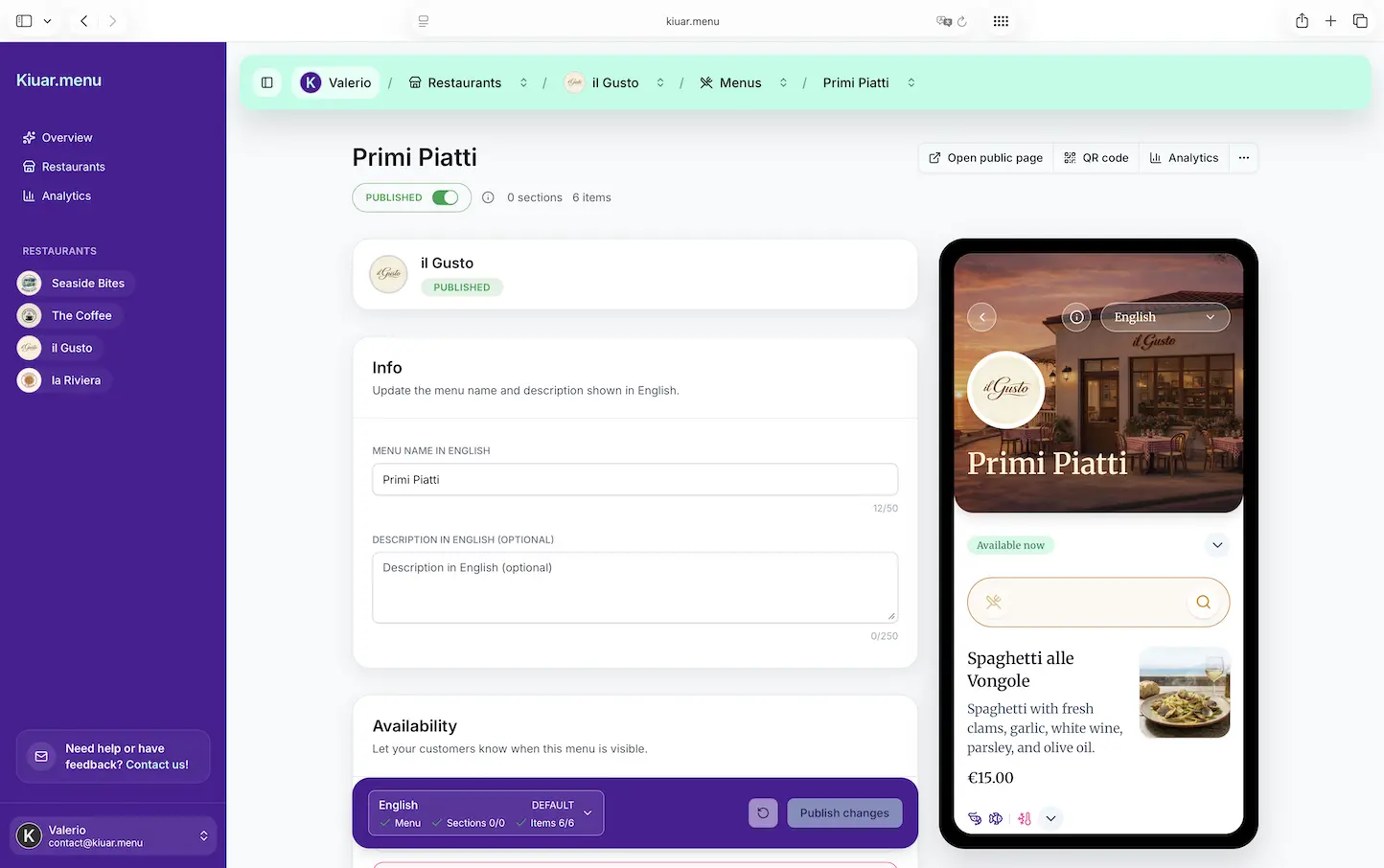
At a minimum, a qr code menu builder should give you one web workspace where you can create your menu, organize categories, add photos (only where they help), and control the look so it matches your brand. But the features that matter most show up when you’re under pressure.
You need instant updates that don’t require replacing printed codes. You need edits that take seconds, not a “rebuild” that turns into a Tuesday project. And you need the confidence that what the guest sees is correct right now.
The operator math: why speed beats “pretty”
The most expensive menu is the one that causes friction. If your menu tool makes you hesitate to change a price, you’ll keep old prices up longer than you should. If 86’ing an item is annoying, staff will keep verbally managing it, and guests will keep ordering it.
A good qr code menu builder reduces three costs at once.
First is time. If updating the menu takes five minutes and you do it ten times a week, that’s almost an hour of management time spent on something that should be instant.
Second is reprints. Even if you love printed menus, most operations end up printing supplemental sheets, taping over prices, or reprinting sections after seasonal changes. QR codes don’t eliminate printing because printing is evil. They eliminate it because reprinting is a repetitive tax on the business.
Third is guest trust. If guests scan a QR code and the menu looks outdated, cluttered, or confusing, it doesn’t matter how “digital” it is. It reads as sloppy. The menu is part of your hospitality.
Build once, then run the shift from one place
The best workflow is simple: one edit panel, one source of truth, and QR codes that always point to the latest version.
That means if you run multiple menus - lunch, dinner, happy hour, late night - you should still be editing inside the same system with the same branding rules. If you operate more than one location, you should not be juggling separate logins or rebuilding the menu every time you open a new store.
It also means the tool should be structured for real menu management. Categories and item ordering should be easy to adjust. Item descriptions should support clarity, not force you into a cramped template. Add-ons and modifiers should be logical, especially for pizzerias and cafés where customization drives the check.
When the menu builder is designed for operators, the system becomes part of service. You stop treating the menu like a “project” and start treating it like a control panel.
Branding that doesn’t require a designer
A menu is a brand touchpoint, but most restaurants don’t have time to run a design sprint every time they tweak a cocktail list.
A qr code menu builder should let you apply your branding in minutes: logo, colors, fonts, and the overall vibe your guests already recognize from your signage and social presence. This matters more than people think. When guests scan a QR code, they’re making a split-second judgment: is this legitimate and easy, or does it feel like a random link?
There’s a trade-off here. Over-design can slow down load time or make the menu harder to read. The goal is not to make the menu “fancy.” The goal is to make it clearly yours while staying fast and readable on a phone.
Translation: the feature you only notice when it’s missing
If you serve tourists, business travelers, or multilingual neighborhoods, translation is not a nice-to-have. It’s how you serve the guest in front of you without putting the burden on staff.
A practical qr code menu builder supports multiple languages without you copying and pasting into separate documents or paying for a one-off translation job every time you change a dish.
The nuance is quality control. Auto-translation gets you speed, but you still want the ability to adjust key phrases, dish names, and cultural context. “House sauce” and “smash burger” don’t always translate cleanly. The right tool makes translation fast, then lets you refine what matters.
Allergen and dietary labeling that reduces table friction
Allergen questions are part of service now. Guests expect clarity, and staff should not have to recite the same ingredient breakdown ten times a night.
A strong qr code menu builder supports allergen and dietary labels that appear consistently across items. That consistency matters operationally - if you label gluten-free one way on your brunch menu and a different way on dinner, you create confusion and risk.
This is another “it depends” area. Labels are not a replacement for training or kitchen processes. But they are a big step toward giving guests a faster answer and giving staff a tool they can point to with confidence.
Analytics that actually help you sell more
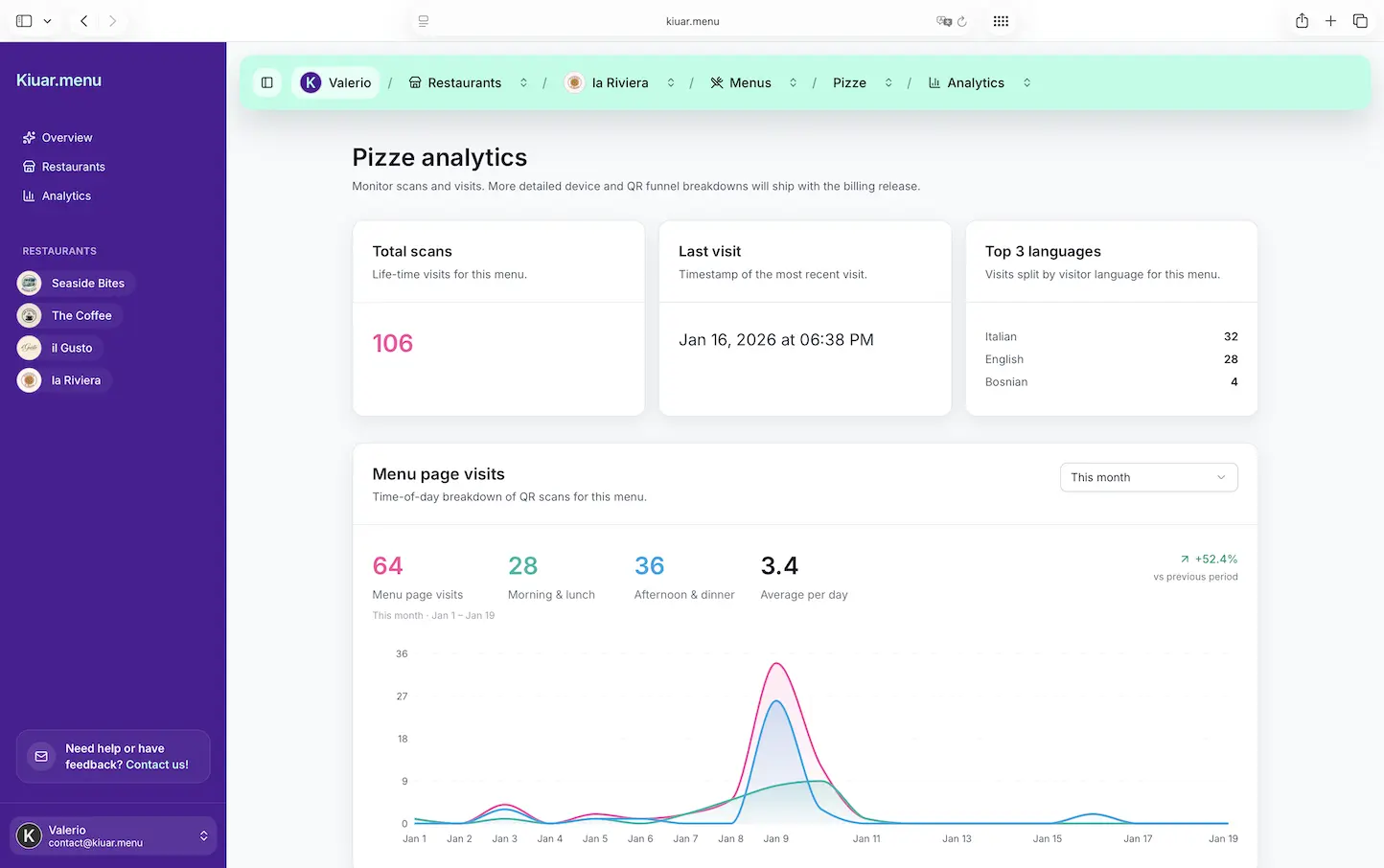
Menu analytics can be useless if it’s just charts for the sake of charts. What you want is visibility into what guests are viewing and engaging with so you can make smarter menu decisions.
If you see a category getting lots of views but low orders, that can point to pricing, descriptions, or product-market fit. If a high-margin item is buried and barely viewed, you can move it up, feature it, or rename it.
The trade-off is privacy and simplicity. Operators don’t want another complex dashboard. They want a few clear signals they can act on quickly.
What to look for before you commit
A qr code menu builder is a small monthly decision that touches every guest. Before you pick one, test it the way a diner would.
Scan the QR code on different phones. Check loading speed on cell data. Make sure the menu is readable with one hand and doesn’t force pinching and zooming.
Then test it the way a manager would.
Make a mid-service edit. Change a price, hide an item, reorder a category. The question is not “can it do this?” The question is “can I do this in 20 seconds without thinking?”
Also check the ownership model. Some tools lock you into per-location pricing, per-menu limits, or extra charges for translation and branding. Others make cancellation difficult. If your menu changes often, you want a plan that doesn’t punish you for using it.
Where an all-in-one builder wins (and where it might not)
All-in-one matters when you need speed and consistency more than custom development.
If you’re an independent operator, a café, a bar with rotating cocktails, or a multi-location group trying to standardize branding, an all-in-one qr code menu builder keeps everything in one place: menu editing, QR codes, translations, labels, and basic analytics.
Where it might not be the best fit is when you need heavy enterprise integrations, complex loyalty systems, or a fully custom guest ordering flow tied into a specific POS in a very specific way. Some restaurants genuinely need that. Many think they do, then end up paying for complexity they don’t use.
For most operators, the menu itself is the win. Get that right first: fast, accurate, branded, and easy for guests.
A practical way to roll it out without disrupting service
The easiest rollout is a soft launch that protects the guest experience.
Start with one menu - usually dinner, or the menu with the most frequent changes. Set up your categories cleanly, keep descriptions tight, and add photos only where they help the guest decide.
Next, place QR codes where guests naturally look: on the table, at the bar, or on a counter stand for fast-casual. Add a simple line like “Scan for menu” so no one wonders what they’re scanning.
Then train staff on one sentence. Not a script, just clarity: “Scan the code for the menu - it updates live if we sell out of something.” That sets expectations and reduces back-and-forth.
Finally, keep a small number of printed menus available for accessibility or preference. QR is about removing friction, not forcing a single behavior.
One platform that’s built for this pace
If you want a tool that treats menu edits like an operational control panel, Kiuar.menu is designed for exactly that: create and brand your menus in one workspace, translate into up to 29 languages, add allergen and dietary labels, and publish updates that hit every table instantly - with a free-to-start, pay-when-publishing model and subscriptions starting at $2.99/month.
The point isn’t the QR code. It’s the ability to run service without your menu becoming a bottleneck.
The real standard: “Does this help the guest right now?”
A qr code menu builder earns its keep when it disappears into the experience. Guests get a clean, fast menu that feels on-brand. Staff stop apologizing for outdated items. Managers stop reprinting and start adjusting the menu as the night unfolds.
If you’re evaluating tools, keep the standard simple: choose the builder that lets you make the right change at the right moment - without stopping the shift to do it.