Your spring asparagus special sells out at 7:10 pm. At 7:12 pm, a guest scans your QR code, sees it’s still available, orders it, and your server has to do the awkward walk-back. That moment isn’t a “menu problem.” It’s a workflow problem.
Seasonal specials are supposed to feel effortless and fresh. Operationally, they’re the opposite: new items, limited inventory, pricing changes, staff questions, and the constant risk of showing guests something you can’t deliver. The fix is not working harder or printing fewer inserts. The fix is building a seasonal specials menu update workflow that makes updates routine, controlled, and fast enough to keep up with service.
Why a seasonal specials menu update workflow matters
Seasonal menus create more change events than your core menu. You’re swapping ingredients, testing dishes, adjusting prices based on market cost, and reacting to what’s actually arriving from vendors. If those changes aren’t managed the same way every time, you get inconsistency: one shift tells guests “we’re out,” another still sells it, and your online channels drift from what’s true on the floor.
There’s a trade-off here. The tighter you control changes, the safer you are - but the slower you can become. The goal isn’t to create red tape. It’s to decide which updates require review (new items, allergen changes, price changes) and which updates should be instant (86ing, limited quantity notes, “available after 5 pm”).
Define the three kinds of specials you actually run
Most restaurants say “specials,” but they’re usually a mix of three very different realities.
First, you have planned seasonal features. These are items you want to market, train on, and keep live for weeks. Second, you have short-run market items that depend on what came in today or this weekend. Third, you have real-time availability changes - the 86s and “only 6 left” situations that happen mid-service.
A smart workflow treats each one differently. Planned seasonal features get a real build process. Market items get a lighter, faster path with guardrails. Real-time changes get a zero-friction update path that any manager on duty can execute in under a minute.
The seasonal specials menu update workflow (that holds up on a busy Friday)
A workflow only works if it matches restaurant tempo. Here’s a practical structure that operators can run weekly, with a faster “service mode” when things change on the fly.
Step 1: Start with a single source of truth
Pick one place where specials live while they’re being created. Not a text thread, not someone’s notes app, not a photo of a handwritten list. Your kitchen, bar, and FOH should all be looking at the same draft.
This matters most for ingredients and modifiers. If “ramps” are in the dish and the draft says “spring onions,” someone is going to answer a guest question incorrectly, and that’s how allergies and comps happen.
Step 2: Write specials like a guest reads them
Specials fail on menus for two opposite reasons. Either they’re too vague (“fresh fish, chef’s choice”) or they’re too complicated (“line-caught branzino, saffron nage, preserved lemon, asparagus, fennel pollen”).
You want a name that signals what it is, a description that explains what matters, and optional details that reduce questions. A good test is whether a new server can confidently describe it after reading it once.
Keep consistency with the rest of your menu. If your core menu uses short, punchy descriptions, don’t suddenly write a paragraph for one seasonal item. Guests read faster than we think.
Step 3: Decide the pricing rule before you set the price
This is where many seasonal rollouts get messy: the price is set once, then market cost changes, then someone quietly changes it again, and now nobody knows what’s “approved.”
Before you publish, decide how you will handle volatility. Are you setting a fixed price for the season? Are you allowing a price band (for example, “market + $X” behind the scenes)? Or will you label it as market price and train staff accordingly?
It depends on your concept. A neighborhood café might need price stability for guest trust. A raw bar might need flexibility to protect margins. The key is agreeing upfront so updates aren’t emotional decisions during prep.
Step 4: Lock allergens and dietary labels early
Seasonal items often introduce new ingredients that aren’t in your normal station rhythm: nuts, shellfish, sesame, certain cheeses, specialty sauces. That’s exactly when mistakes happen.
Treat allergen and dietary labeling as part of item creation, not a later “menu polish.” Even if you’re not listing every detail, you should be able to quickly answer: does it contain major allergens, is it gluten-free as written, can it be modified, and what cross-contact risks should staff mention?
If you serve international guests, this is also where translation matters. One incorrect translation can turn “contains peanuts” into something vague, and vague is dangerous.
Step 5: Assign roles, not people
Restaurants have turnover, days off, and split shifts. Workflows break when they rely on a specific person. Instead, assign roles.
For planned seasonal features, you typically need an item owner (chef or bar lead), a pricing approver (owner or GM), and a publisher (manager or marketing lead). For real-time availability changes, you need a clear “who can 86” rule: usually the manager on duty.
If you’re multi-location, add one more role: the brand consistency check. Someone needs to verify naming, formatting, and categories match across stores, even if the items differ.
Step 6: Publish in a way that doesn’t create menu sprawl
Seasonal specials should be easy to find, but they shouldn’t clutter the entire menu. The clean approach is a dedicated “Seasonal” or “Features” section, plus strategic placement where it boosts ordering (like adding the seasonal cocktail to the cocktails section too).
The trade-off is duplication risk. If the item appears in two places, both places must update together when you 86 it or change price. If your system can’t guarantee that, keep it in one location and use strong positioning and server guidance.
Step 7: Switch to “service mode” for live availability
The best specials in the world become a guest experience problem if they aren’t accurate. Build a service-mode rule that’s simple enough to follow in the middle of the rush.
When something sells out, the manager on duty should be able to do one of three actions immediately: mark it sold out, hide it, or add a note like “limited availability, ask your server.” Which one you choose depends on your service style. Fine dining may prefer a quiet hide. A casual concept might prefer the transparency of “limited.”
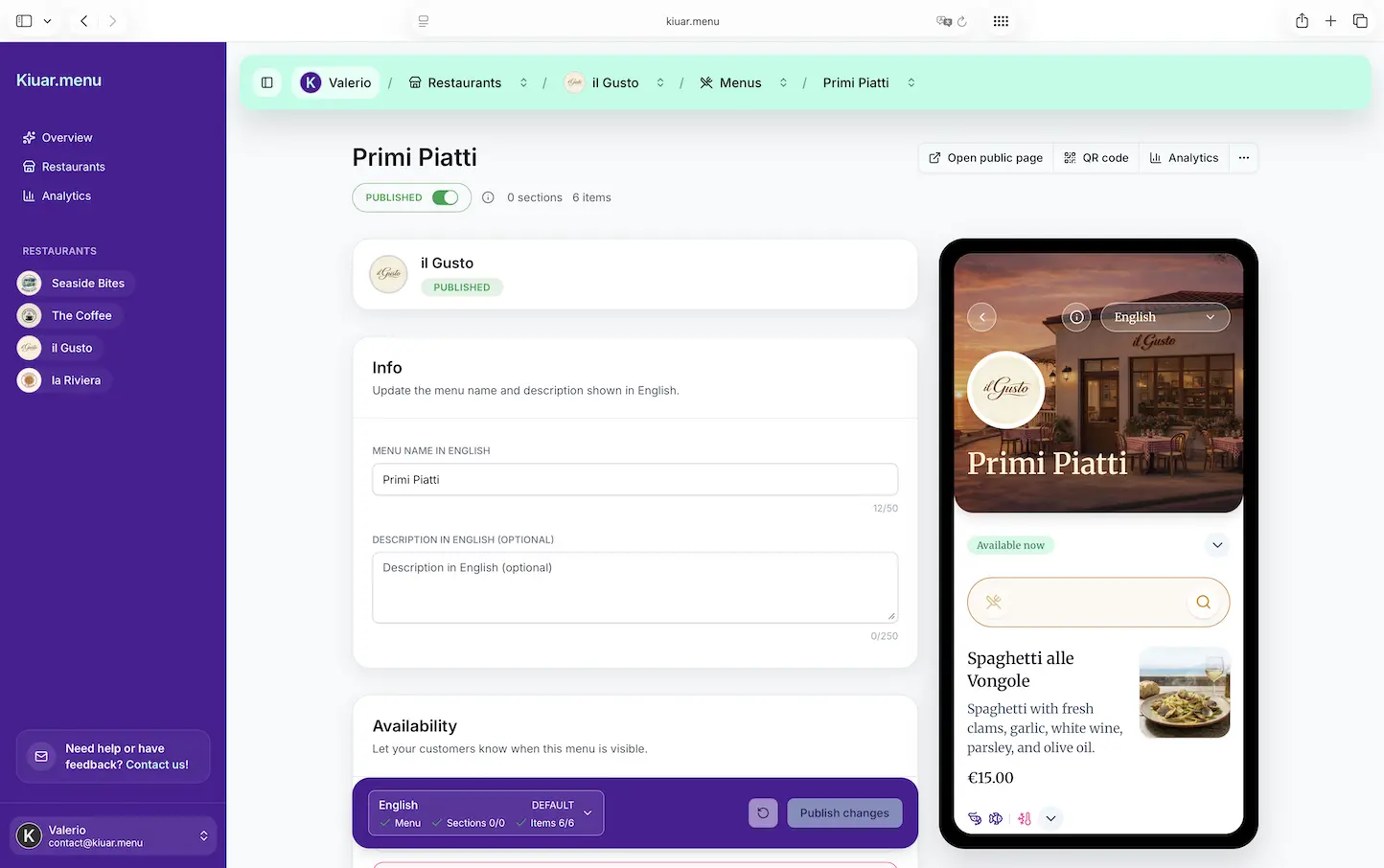
If your menu is QR-based, service mode is where you win. Edit once, publish, and every table sees the same truth.
Step 8: Train with a 90-second pre-shift script
Seasonal specials don’t need a full training meeting every time. They need consistency. A short pre-shift script that covers what it is, how to describe it, what to upsell with it, and what the key allergy callouts are will prevent most issues.
You also want one “if we run out” line that every server can use. Guests don’t mind sellouts as much as they mind confusion.
Step 9: Review performance weekly, not emotionally
Some specials fail because they’re not good. Many fail because they’re not positioned, priced, or named correctly.
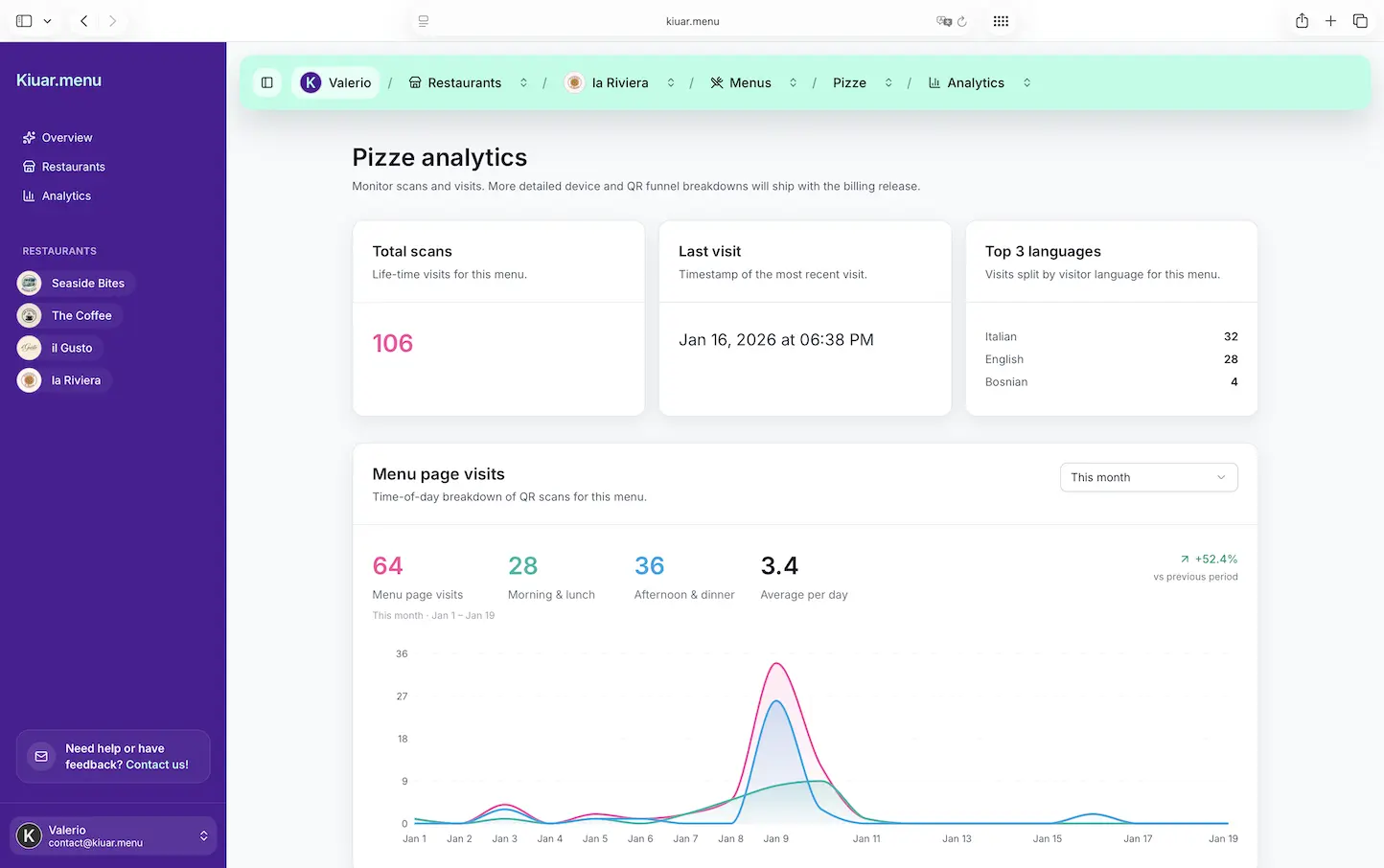
Pick a weekly review cadence and stick to it. Look at what sold, what didn’t, and what got asked about the most. If you have menu analytics, this gets sharper: you can see what’s viewed versus what’s ordered. High views and low orders usually means pricing, description, or server confidence is off. Low views means placement and discoverability are the issue.
The point is to make decisions with data and pattern recognition, not a gut reaction after one slow Tuesday.
Where most workflows break (and how to prevent it)
They break at handoffs. Kitchen writes the special, FOH hears a version of it, someone updates the menu later, then someone else changes the price on a chalkboard, and now you have three truths.
They also break when translation and labeling are treated as optional. If you offer multiple languages or you have guests relying on dietary clarity, a seasonal item that isn’t translated or labeled creates uneven hospitality.
And finally, they break when the tool is slow. If publishing takes too many steps, people avoid updating. Then accuracy dies quietly.
A realistic way to run this with a digital menu
If you’re using a digital menu platform, the workflow becomes less about “how do we reprint” and more about “how do we control edits.” The operator goal is simple: edit once, publish fast, and trust that every QR code reflects the change instantly.
A platform like Kiuar.menu is built around that operator reality: one web workspace where you can update seasonal items, push changes in seconds, keep branding consistent, and handle multi-language menus and dietary labeling without bolting on extra tools.
Even with good software, you still need the human rules: who approves what, how you handle sellouts, and when you review performance. The tech just makes it possible to follow the rules during service.
The standard that keeps guests happy
Your guests don’t judge your workflow. They judge the moment. They judge whether the menu matches what’s available, whether staff answers confidently, and whether dietary needs are handled clearly.
The best seasonal specials menu update workflow is the one your team can actually run when it’s busy, loud, and you’re down a server. Build it so that the easiest action is the correct one, then let your food do the selling.