Your menu changes at the worst possible time.
It is 7:12 pm. The kitchen calls: you are out of salmon, the patio is filling, and a server is already explaining a dish that no longer exists. If your “digital menu” is a PDF someone has to export, upload, and hope guests refresh, you already know how this ends: inconsistent tables, annoyed guests, and staff wasting time apologizing.
That is the real job of qr code menu software - not just putting a menu behind a code, but keeping the menu true to what you can actually serve, in the moment, without turning you into a part-time graphic designer.
What qr code menu software should fix (not just “digitize”)
Most operators do not need another place to store a menu file. They need a single control panel where changes happen once and show up everywhere instantly. That sounds simple until you are dealing with multiple locations, different dayparts, seasonal pricing, and a staff that cannot stop the line to troubleshoot tech.
At a minimum, good software should reduce two kinds of friction: guest friction (hard to read, slow to load, not accessible) and operator friction (edits take too long, updates do not propagate, branding looks off, translations are a mess).
When those two frictions go away, you get the real payoff: faster ordering decisions, fewer comped items caused by miscommunication, and fewer “what do we have left?” laps around the dining room.
The non-negotiables: speed, clarity, and zero app downloads
If a menu takes more than a couple seconds to load on a shaky cellular connection, it may as well be a paper menu. QR menus are judged in a blink. Guests will abandon anything that feels clunky, especially if they are standing at a bar or trying to order while holding a kid.
Look for a web-based menu that opens in the phone browser, no app required, with clean typography, high contrast, and tap targets that do not require pinching and zooming. This is not about being fancy. It is about being readable in low light, on cracked screens, and for guests who are not tech-comfortable.
Also consider accessibility basics. Can a guest increase text size without breaking the layout? Can they quickly find sections? If the software forces you into a single long scrolling page with tiny text, you will hear about it - sometimes in reviews.
The “edit once, update everywhere” test
Here is a quick way to tell if a platform is real qr code menu software or just a QR code generator with a file upload.
Ask: if I 86 an item right now, can I remove it in one place and have every table’s QR menu reflect that change immediately?
If the answer involves exporting a PDF, uploading to a drive, changing a link, or printing new QR stickers, you are buying the wrong kind of system. Mid-service edits are not an edge case. They are a normal Tuesday.
The same goes for price changes, happy hour timing, and seasonal swaps. Operators who update menus frequently should prioritize software where the menu is a living page, not a static document.
Branding that looks like your restaurant, not a template
A QR menu is often the first thing a guest looks at after they sit down. If it feels generic, it subtly lowers the perceived quality of the experience. If it is off-brand, it makes your restaurant feel inconsistent.
Branding in this context is practical: your colors, fonts, logo placement, and photo style. The best systems give you control without requiring a designer to rebuild your menu every time you add a cocktail.
The trade-off is worth stating. The more design freedom a platform offers, the more you might be tempted to over-design. A great QR menu is elegant and restrained. Guests want to find items, understand them, and decide quickly. Use branding to reinforce trust and vibe, not to add friction.
Translation: where most QR menus quietly fail
If you serve tourists, international students, or a multilingual neighborhood, translation cannot be an afterthought. And “we have a Spanish PDF too” is not a real solution when tables are scanning the same QR.
What you want is language switching inside the same menu experience so the guest can choose their language and still see the exact same structure, pricing, and availability.
The operational risk here is consistency. If translations live in separate files or separate tools, they drift. One gets updated, the other does not. Guests get different information depending on which version they find, and staff ends up translating on the fly.
Built-in translation tools reduce that drift - but you still need to spot-check. Automated translation can misunderstand culinary terms or regional dishes. The ideal workflow is fast default translation with easy manual edits, so you can correct a few key items once and keep them correct forever.
Allergen and dietary labeling: a guest-trust feature, not a checkbox
Allergen questions slow service because they should. Guests are trying to stay safe, and staff are trying not to guess.
Good qr code menu software lets you label items clearly with allergens and dietary markers (gluten-free, vegetarian, vegan, nuts, dairy, and so on), and keeps those labels consistent across languages and sections.
There is a real trade-off: you do not want to over-promise. If your kitchen cannot guarantee no cross-contamination, your menu should not imply it. The right platform makes labeling easy, but the policy is still yours. Clear, consistent labeling builds trust. Sloppy labeling creates risk.
Menu structure that matches how guests order
The fastest menus are not the shortest. They are the most scannable.
Look for software that lets you organize by the way people think: starters, mains, sides, desserts, drinks, then sub-sections like “House Cocktails” or “Draft.” Within items, descriptions should be readable and optional, not a wall of text.
Photos are another “it depends.” Photos help in quick-service, food trucks, and anything unfamiliar to guests. In fine dining, photos can feel off-brand. The key is control: you should be able to add photos where they lift conversions (signature items, cocktails) without turning the whole menu into a slow-loading gallery.
Analytics: useful when it changes what you do tomorrow
Menu analytics are only valuable if they help you make decisions. Otherwise, it is just another dashboard.
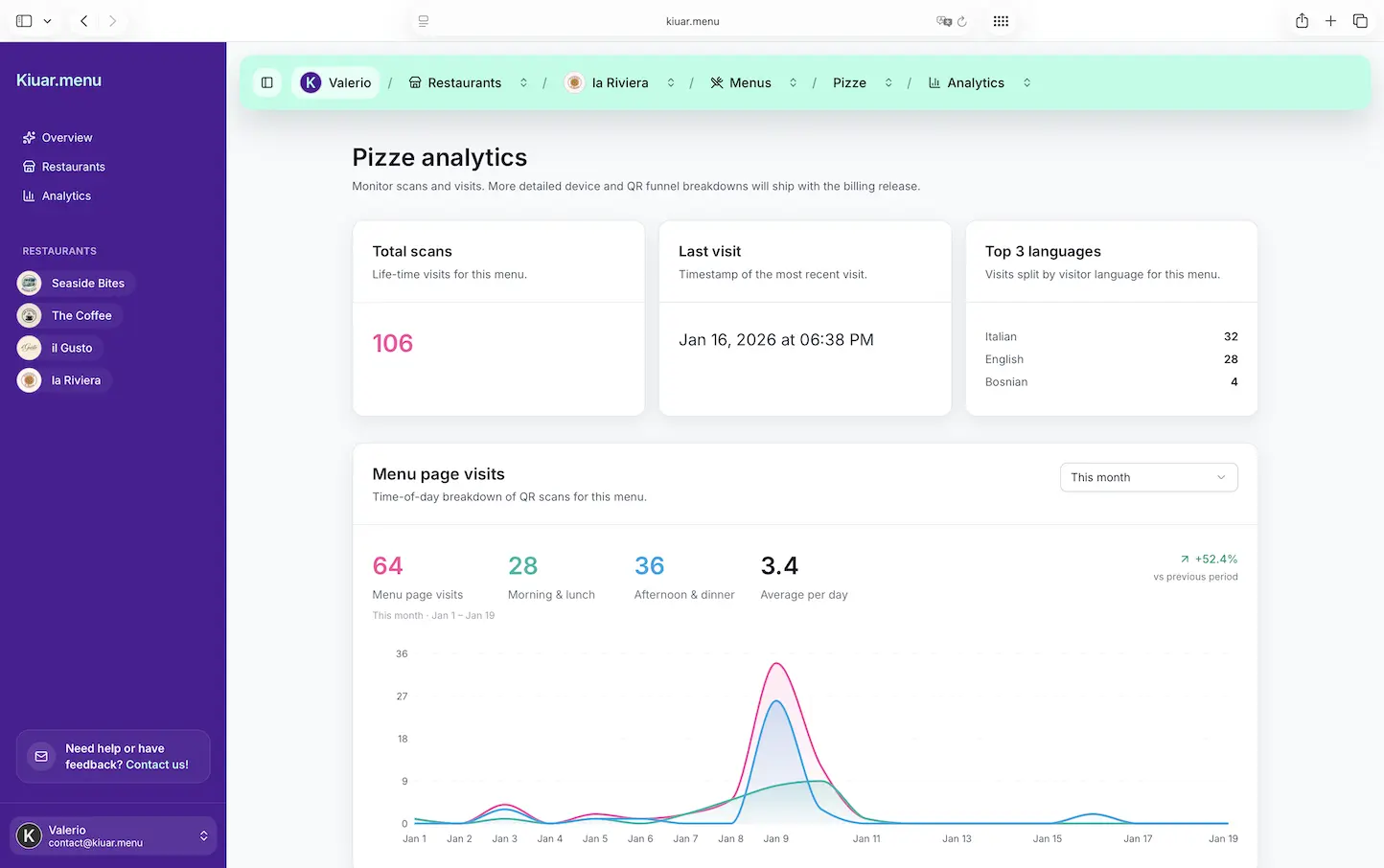
The simplest win is understanding what guests are actually viewing. If a high-margin item is buried and barely seen, you can move it, rename it, or feature it. If a section gets heavy traffic but low selection, your descriptions or pricing may be working against you.
Analytics also help with operational planning. If a special is getting disproportionate attention, you can prep more or adjust availability before you hit an 86 situation in the middle of the rush.
Do not over-index on numbers, though. A menu view is not the same as an order. Treat analytics as directional, then confirm with staff feedback and sales data.
Multi-location consistency without turning edits into a project
If you operate more than one location, the pain multiplies. You need brand consistency, but you also need location flexibility (different pricing, different availability, different beer list).
The best platforms handle this without creating a maze of duplicated menus and manual syncing. You should be able to reuse structure and branding, then adjust location-specific details quickly.
If you are a single location today but plan to expand, this matters now. Migrating menus later is annoying, and it always happens right when you are busiest.
Pricing that matches how restaurants actually buy software
Restaurants do not want to negotiate a contract to change their menu.
Look for transparent pricing, easy cancellation, and a low-risk way to start. A “free to build, pay when you publish” model fits the reality that you want to set it up, test it on a phone, maybe run it alongside your current menu for a week, then flip the switch.
Be wary of hidden limits: per-QR fees, per-location fees, per-language fees, or menu count caps that punish you as soon as you add a brunch menu or a catering menu. The operational goal is to reduce friction, not to create billing math.
What setup should feel like (and what it should not)
If the software is truly operator-friendly, setup should be boring.
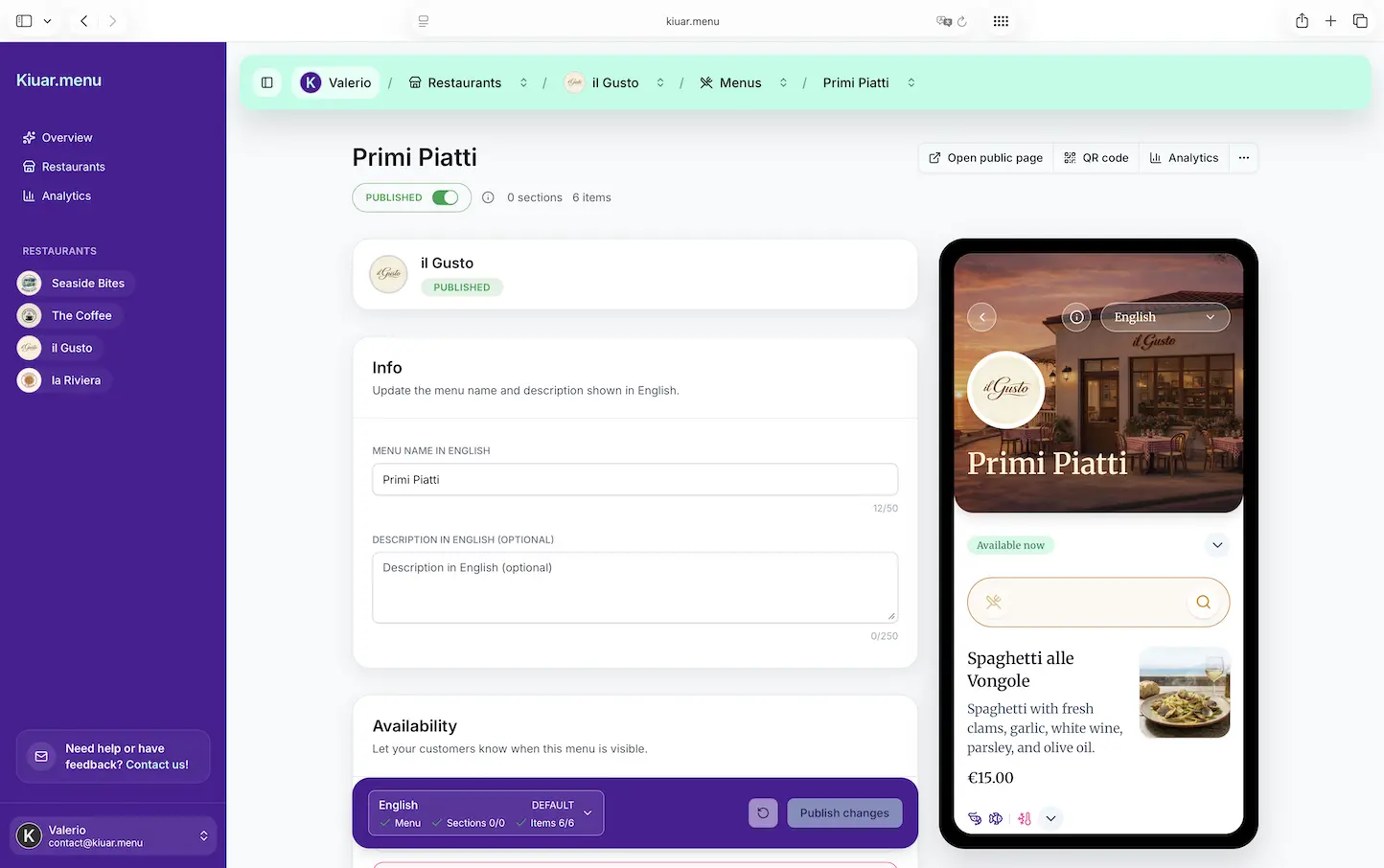
You should be able to build a menu in a web workspace, apply your branding, generate QR codes, and place them on tables without needing a training call. Updating an item should be as simple as editing text and toggling availability. If you need a developer to change a price, you are back in the old world.
A good test: could a trusted shift lead make a change without fear? If the answer is no, you will bottleneck on the one person who “knows the system,” and changes will lag.
A practical way to choose qr code menu software in one afternoon
Start by scanning like a guest. On a phone, on cellular, in low light, with one hand. If it loads slowly or feels confusing, stop there.
Then run an operator stress test. Time yourself making three changes: 86 an item, change a price, and add a limited-time special. If those edits do not publish instantly across the same QR, you will feel it during service.
Finally, check whether the platform can grow with you: multiple menus (lunch, dinner, happy hour), multiple languages, dietary labels, and analytics you will actually use.
If you want an all-in-one option built for operators who change menus often, Kiuar.menu is designed around that exact workflow: edit once, publish fast, keep branding consistent, and support multilingual guests without extra tools.
A helpful closing thought: the best QR menu is the one your staff stops thinking about. When updates are instant and the menu always matches reality, your team gets to focus on hospitality again - not damage control.