Saturday night. You just 86’d the short rib, the patio is full, and a server is still selling it because the printed menu says it’s there. That’s not a “menu problem.” That’s an operations problem that shows up as guest disappointment, comps, and staff stress.
Digital menu software exists to fix that exact moment. Not with a prettier PDF. With a system where you edit once and every guest sees the change immediately.
What digital menu software is (and what it isn’t)
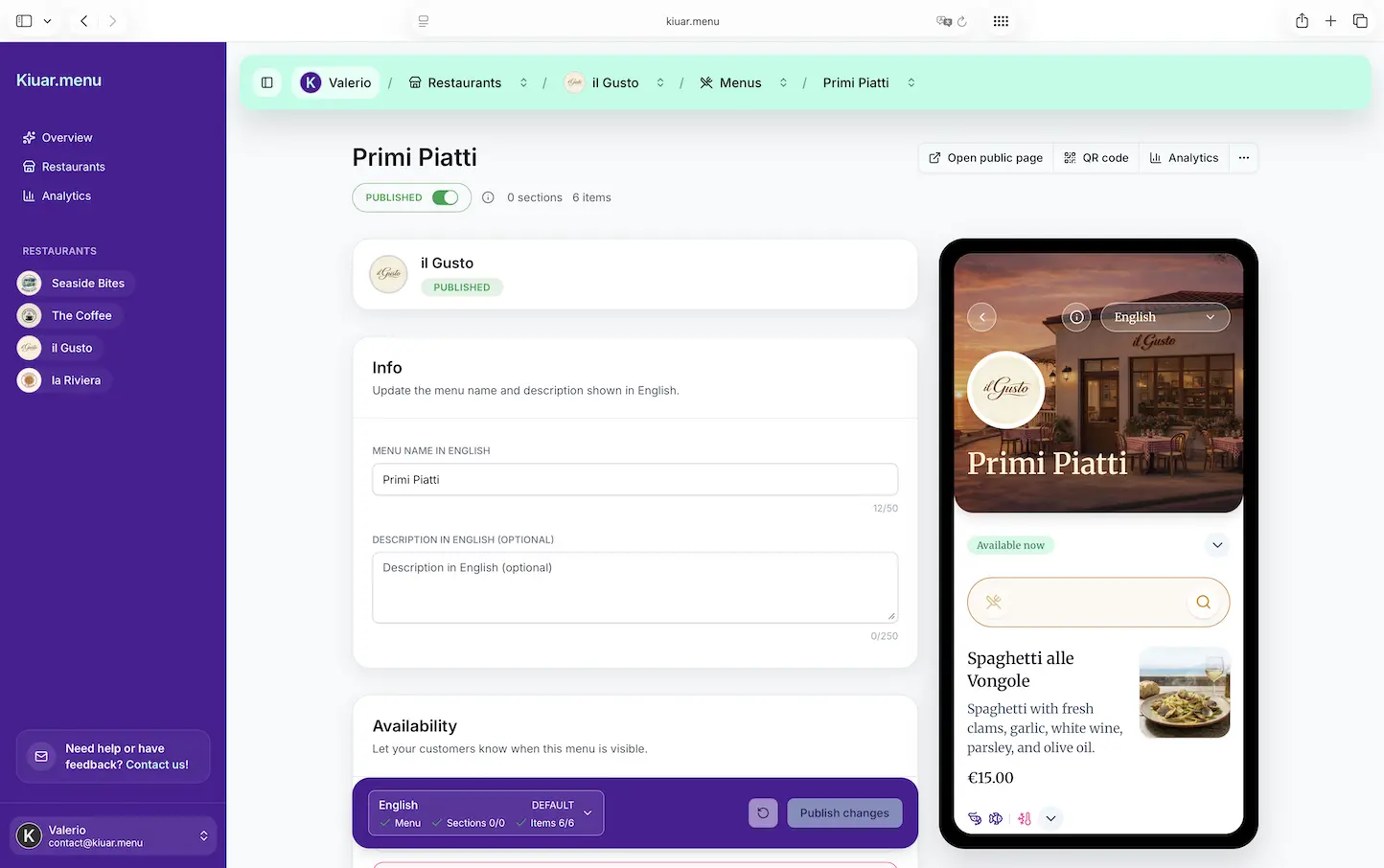
At its best, digital menu software is a single place to manage your menu and publish it to guests through a QR code or web link. The point is control: prices, item availability, modifiers, and descriptions stay accurate without reprints.
At its worst, it’s just a file viewer. A static PDF on a webpage is still a static menu. You can “update” it, sure, but you are still uploading, re-exporting, and hoping the right version is live. If the tool feels like a workaround, it will get treated like one - and your team will stop trusting it.
The real dividing line is whether the software is built for service. Can you change an item mid-shift from your phone and know every table sees it? Can you run multiple locations without creating chaos? Can you keep branding consistent without hiring a designer every time you want to add a seasonal section?
Why operators switch (it’s not just the QR code)
QR codes aren’t the feature. They’re the delivery method. Operators adopt digital menus because the day-to-day pain is expensive.
Reprints add up fast, but the hidden costs are bigger: staff time spent explaining outages, guests getting frustrated when something they wanted is gone, and managers improvising updates across multiple channels.
Digital menu software tends to earn its keep in three areas.
First, speed. If your menu changes weekly, daily, or hourly, you need an edit workflow that matches reality.
Second, consistency. One menu should not become five different “versions” floating around - the bar menu PDF, the dinner menu photo on Google, the seasonal special on Instagram, and the QR menu that may or may not match.
Third, guest confidence. Clear allergen and dietary labeling, readable layouts, and accurate pricing reduce friction. Guests order faster when they trust what they’re seeing.
The non-negotiables to look for
Most tools advertise the same benefits. The differences show up when you’re busy.
Instant updates across every QR code
If you have to reprint QR codes because the link changed, that’s a red flag. You want a setup where the QR code stays the same and the content behind it updates instantly. That’s what makes mid-service edits possible.
Also watch for “publish delays.” If edits require approval queues or manual deployments, you’ll hesitate to update the menu when you actually need to.
A menu builder that isn’t a design project
If building a menu feels like designing a website, it’s going to slow you down. Operators need structure that matches how menus work: categories, items, modifiers, pricing, add-ons, and notes.
A good builder gives you enough control to look on-brand without making you responsible for typography and layout decisions you shouldn’t have to make. Your brand should look intentional, but the workflow should feel like editing a menu, not designing one.
Translation that’s built in, not bolted on
If you serve tourists, international students, or just a multilingual neighborhood, translation isn’t a “nice to have.” It’s the difference between confident ordering and awkward guessing.
The trade-off is accuracy. Automated translation can be helpful for speed, but menus have quirks: dish names, slang, cooking methods, and ingredients that don’t map perfectly. The best systems let you translate quickly and then override specific words or descriptions so you can keep your voice and avoid misunderstandings.
Allergen and dietary labeling that is easy to maintain
Allergen info can’t be a one-time project. It has to be maintainable when recipes change, suppliers change, or you add a special.
Look for a workflow where labels are attached to items in a structured way, not buried in free-form text. You should be able to mark items as gluten-free, vegan, contains nuts, and so on - consistently - without rewriting descriptions.
A quick reality check: digital menus support guests, but they don’t replace staff training. You still need a process for questions and cross-contamination disclaimers. The software should make that process easier, not pretend it’s solved.
Analytics that answer operator questions
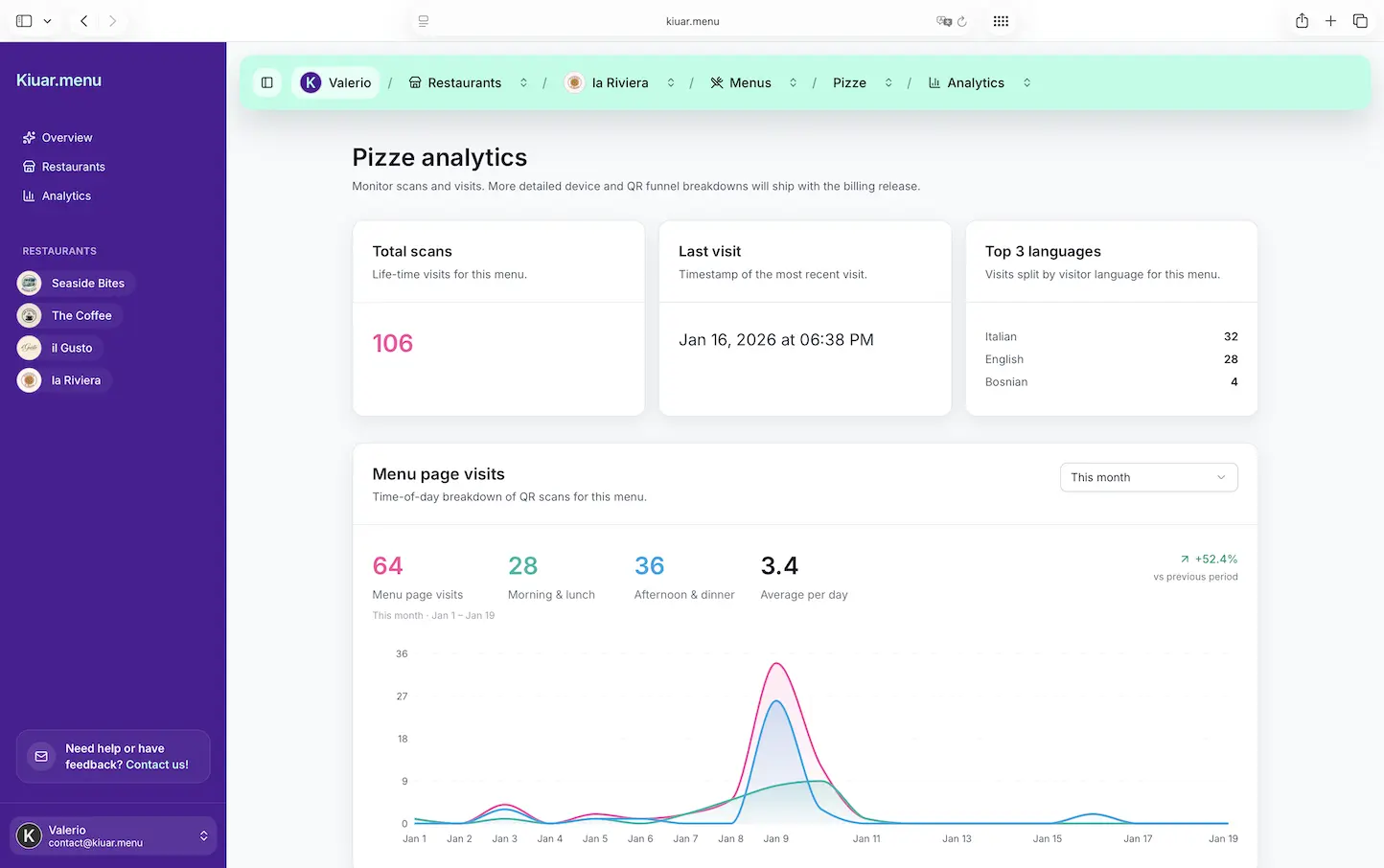
Menu analytics can be useful, or it can be noise. The simplest version that actually helps is understanding what guests view and what they tap.
This is not the same as POS sales data. It’s interest data. If 300 guests tapped “Spicy Margarita” and 40 ordered it, you may have a pricing, description, or availability problem. If a category gets ignored, maybe it’s buried or named wrong.
The key is whether analytics lead to action without requiring a data analyst on staff.
Where digital menu software pays off immediately
The ROI usually shows up faster than people expect, especially if your menu isn’t static.
Mid-service availability changes are the obvious win. If you can 86 an item in seconds, you stop selling problems.
Seasonal swaps get easier too. Instead of redesigning a menu every quarter, you can rotate sections and specials without blowing up the whole structure.
Price changes become less painful. Whether you’re managing inflation or experimenting with a new happy hour price, you can update and move on.
And if you run multiple locations, centralized control matters. One workspace, one set of brand rules, and location-specific differences where needed. That’s how you avoid the “downtown menu looks different than the airport menu” situation.
Common pitfalls (and how to avoid them)
Digital menus can absolutely create new headaches if you choose the wrong approach.
The PDF trap
A PDF menu is better than nothing, but it’s still a document, not a system. It’s harder to translate, harder to tag allergens, and harder to update without breaking formatting.
If you start with a PDF because it’s quick, plan to migrate to a real menu builder when you have time. Otherwise you’ll keep paying the “easy now, hard later” tax.
Over-customization
Some platforms promise limitless design freedom. That sounds great until you realize every menu update now requires someone who understands the design system.
Restaurants don’t need infinite flexibility. They need repeatable, on-brand templates that look good and stay consistent when different managers make edits.
Tools that assume perfect internet
A digital menu depends on connectivity. Most guest phones handle this fine, but weak Wi-Fi, dead zones, or a busy network can ruin the experience.
You can reduce risk by keeping menus lightweight and fast to load. Also think about QR placement and lighting. If guests can’t scan easily, your menu might as well not exist.
It’s also smart to keep a backup plan for true outages - a simple printed one-page fallback, or a staff script for the top sellers.
How to choose the right software for your restaurant
Don’t start with a feature checklist. Start with your operating reality.
If your menu changes often, prioritize edit speed and instant publishing over fancy design options.
If you serve a diverse crowd, prioritize multi-language support and easy overrides so translations don’t become embarrassing.
If you’re multi-location, prioritize centralized control and consistency. The platform should make it hard to accidentally create brand drift.
Then test it like a guest and like a manager. Scan the QR code on different phones. Time how long it takes to change a price and see it live. Try adding an allergen label to ten items. If it feels slow in a quiet office, it will feel impossible during service.
Pricing matters too, but not just the monthly number. Watch for per-location fees, limits on menus, limits on QR codes, and “enterprise” gates for basics like translations or analytics. Restaurants don’t need surprises on a tool that’s supposed to simplify things.
If you want a straightforward example of an operator-first approach - one workspace, instant updates across every QR, branding controls, translations up to 29 languages, allergen labels, and analytics with a low-friction subscription - Kiuar.menu is built specifically for restaurants that need speed and consistency without designers or complicated setup.
What a great guest experience looks like
The best digital menus feel invisible. Guests scan, the menu loads fast, and it’s easy to read. They can find what they want without pinching and zooming. They can trust that “available” means available.
Branding matters here, but not as decoration. Brand is clarity: section names that match how people order, photos used with restraint, and descriptions that help guests decide quickly.
Translation and dietary labeling are part of hospitality too. When a guest can switch languages instantly, or confidently avoid allergens, you reduce friction and show respect. That’s a better experience than any gimmick.
The closing thought to keep in mind: your menu isn’t a document. It’s a live sales tool. Choose digital menu software that lets you treat it that way - updated in real time, consistent across locations, and easy enough that you’ll actually use it when the rush hits.